[ The customer’s view of the invoice, with paying one tap away. ]
The payment portal
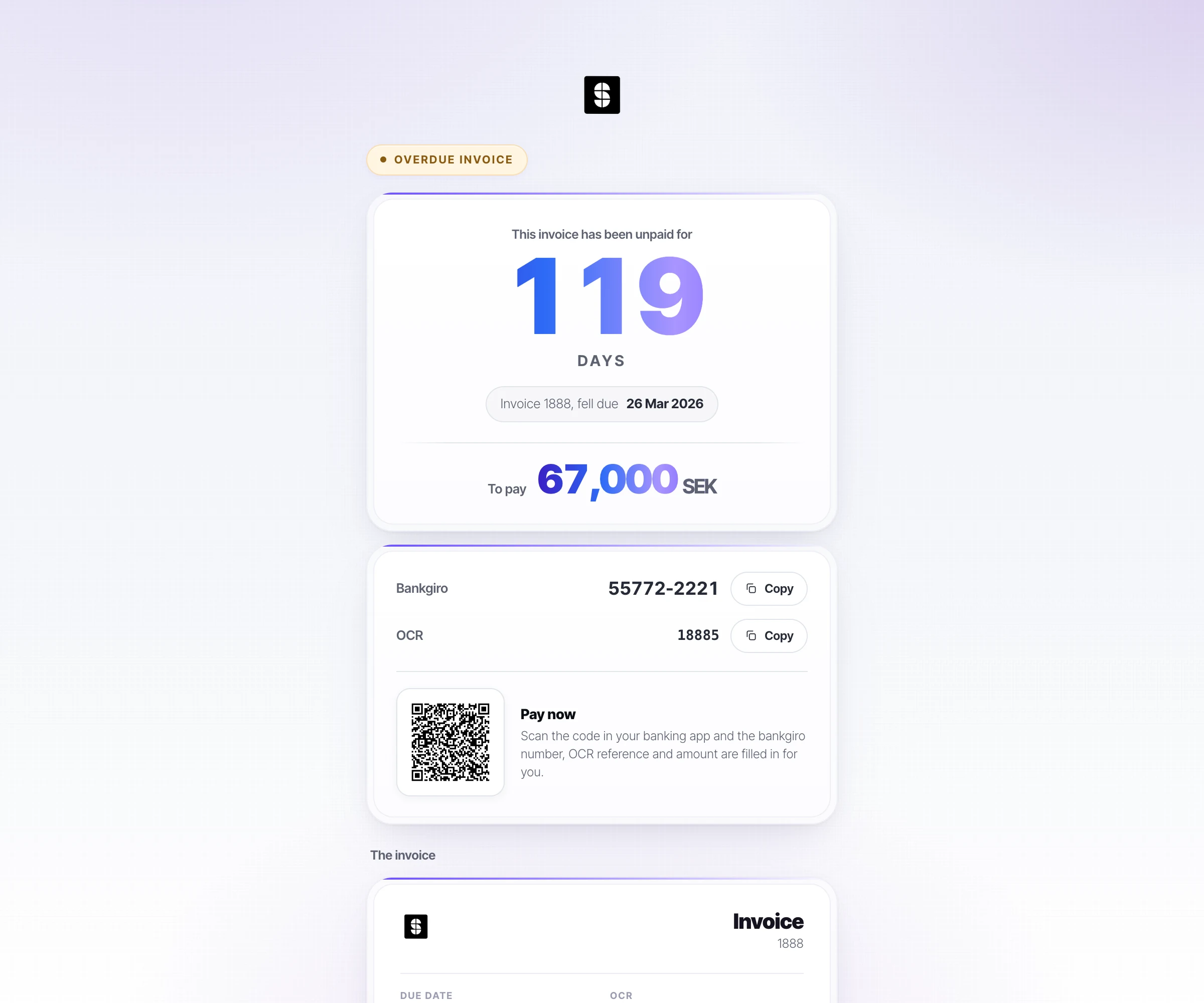
The simplest reason an invoice goes unpaid is that paying was awkward. The portal is the debtor’s own view of the invoice: what it covers, what is outstanding, and a QR code that opens their banking app with the details filled in.
The whole platformWhat the customer sees
The customer sees the debt, the days, and a QR code
No login, no account. The link in the reminder opens the invoice with the amount, how long it has gone unpaid, and a code that fills in the bank details and reference in their banking app.
- The number of days unpaid leads, because that is what makes someone act.
- The bank reference can be copied in one click for anyone who prefers to pay manually.
You decide how much happens on its own
You choose per action and risk. In co-pilot, Superclaim prepares the action and someone on your team approves it before it goes out. In auto-pilot, Superclaim carries it out on its own, inside the rules you set per customer group, action and risk. Most start with everything on co-pilot and loosen one action at a time.
- Does the customer need an account?
- No. The portal opens from the link in the reminder, no login required.
- How long before we are up and running?
- Live within 24 hours. Setup normally takes an hour of your time.
- Does it work with our business system?
- We support 30+ business systems. The connection is activated during your onboarding, and there is nothing technical for you to do.